Use case
AI UGC video generator: product videos without filming every take
An AI UGC video generator turns your product facts into creator-style short videos, so you can test several angles before you pay for a single shoot. It works when the video is grounded in what the product actually does and labeled as AI where the platform asks for it. Here is how to brief one, which angles to test, and what TikTok and Meta expect.
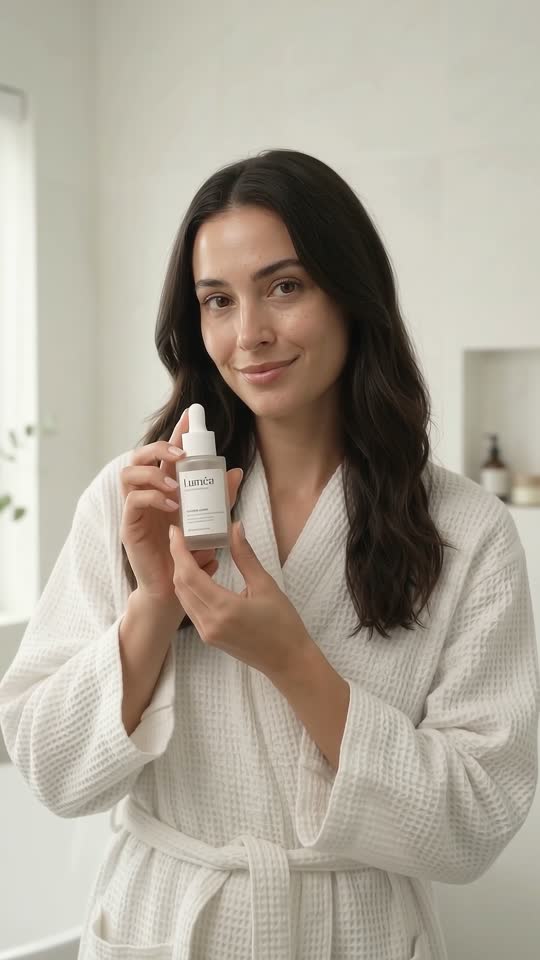
What AI UGC is, and when it works
UGC stands for user-generated content: the handheld, talking-to-the-phone style of video that looks like a customer sharing something rather than a brand advertising it. AI UGC keeps the format but generates the creator, the voice and the scenes from a script. The output is a vertical 9:16 video that reads like a creator clip on TikTok, Reels or Shorts.
The honest way to think about it is as a testing tool first and a production tool second. Real creators bring something an AI cannot: their own audience, their own credibility, and a real experience with your product. What AI UGC brings is speed and range. You can try five angles on Monday, see which one people respond to, and only then decide whether that angle deserves a real creator, a paid placement or a bigger budget.
| Situation | AI UGC | Real creators |
|---|---|---|
| You have a new product and no idea which angle sells | Good: many variations, one afternoon | Expensive to test broadly |
| You need a genuine review or personal experience | No: it cannot review what it has not used | Yes, this is the point of creators |
| You sell in several markets and languages | Good: same brief, native script per market | One creator per market |
| The buyer needs to trust a face they recognize | Weak | Strong |
| You need the same message in ten hooks | Good | Slow and costly |
Two rules keep AI UGC on the right side of the line. First, it must not pretend to be a real customer with a real experience. It presents the product; it does not invent a testimonial. Second, when the person on screen looks real, the platforms want it labeled. Both come up again below.
The UGC angles that work, with example hooks
Most product videos that hold attention fit one of five shapes. Each shape opens differently, so the first line is where the angle shows. Below are the shapes with a hook for a daily face serum; swap in your own product and the structure still holds.
- Problem / solution. Open on the annoyance, then show the product as the way out. Hook: “My morning routine was taking way too long.”
- Comparison. Old way next to new way, or one product next to another category. Hook: “Three-step routine vs one-step routine, same skin.”
- Discovery. The “I found this and had to try it” shape. Works for products people have not seen before. Hook: “I did not expect a serum this light to do anything.”
- Testimonial-style. A creator describing how the product fits their day, grounded in the facts you give it, not an invented result. Hook: “This is the one step I actually kept.”
- Offer. Straight to the deal, for people who already know the product. Hook: “Free shipping on the serum this week only.”
Do not pick one angle in advance. Buyers who already know your category respond to comparison and offer; buyers who do not respond to discovery and problem / solution. You find out by testing, which is the next two sections. If you are stuck on topics rather than angles, the short video ideas guide covers where a steady stream of hooks comes from.
How to brief an AI UGC generator
The quality of AI UGC is decided before generation starts. A generator only knows what you tell it, and a vague brief produces a confident video about a product that does not exist. Write the brief as a fact sheet, not as ad copy.
- Verified product facts. What it is, what it contains or is made of, sizes, how it is used, what is in the box. Only things you can prove with a label, a spec sheet or a test report.
- Benefits in plain words. What changes for the buyer, stated the way a customer would say it, not the way a packaging designer would.
- Allowed claims. The exact phrases you are cleared to say. “Fragrance-free” is a claim. “Dermatologist-tested” is a claim only if you have the test.
- Prohibited claims. Everything the script must never say: medical outcomes, “clinically proven” without a study, comparisons to named competitors, anything your legal review has flagged.
- Audience. Who is watching, what they already use, and what they are skeptical about.
- Offer. The deal, if there is one, and when it ends.
The allowed and prohibited lists are the part most people skip, and they are the part that matters most. A creator-style video sounds personal, so an invented claim in it is more convincing than the same claim in a banner, and more damaging when it is wrong. In many markets, a product video that states a benefit you cannot support is an advertising problem regardless of who or what made it. Grounding the generator in a fact sheet is how you keep the video useful and keep yourself out of trouble.
If you sell through TikTok Shop, the platform has its own rules on what a product video may show and say. The TikTok Shop product videos guide goes through them.
How to test variations without fooling yourself
The point of generating several versions is to learn something, so set the test up so it can teach you. Change one thing at a time. If the angle, the hook and the offer all change between two videos, you will not know which one made the difference.
- Round one: angles. Same product, same offer, one video per angle. Post them over a few days rather than all at once, so timing does not decide the result.
- Round two: hooks. Take the angle that held attention and generate three openings for it. The first two seconds do most of the work in short-form video.
- Round three: offer and length. With angle and hook fixed, try a shorter cut and a version with the offer up front instead of at the end.
- Watch the right signal. For organic posts, look at whether people watch to the end and whether they tap through to the product. For paid placements, look at cost per action, not likes.
Keep notes on what you changed and what you saw, even informally. After a few weeks the pattern is usually obvious: your buyers respond to one or two shapes, and your next brief starts there. That is the same loop a channel runs on topics; the faceless video generator guide describes it from the channel side.
AI disclosure and platform labels
If the person in your video looks real and was generated, the major platforms expect you to say so. The rules differ in wording but agree on the principle: realistic AI video and audio should carry a label, and hiding it is the thing that gets accounts penalized, not the label itself.
- TikTok asks creators to turn on its AI-generated content label when a video contains realistic images, audio or video made or significantly edited with AI. It also reads Content Credentials (C2PA metadata) and can apply the label automatically. Its Community Guidelines also bar AI content that shows a real private person’s likeness, or a public figure endorsing something. Official page: TikTok on AI-generated content.
- Meta (Facebook, Instagram, Threads) shows an “AI info” label. It applies the label when it detects industry-standard AI indicators or when you disclose. Meta requires you to use its disclosure tool when you post photorealistic video or realistic-sounding audio that was created or altered with AI, and says it may apply penalties when people fail to disclose. Official pages: Meta’s approach to labeling AI-generated content and labeling AI-generated images on Facebook, Instagram and Threads.
Ads have their own review on top of this, and both platforms keep updating their ad standards for AI-generated creative, so check the current ad policy before you put money behind an AI UGC clip. Beyond platform rules, your local advertising authority may treat undisclosed synthetic endorsements as misleading. The practical stance is simple: label it, do not have it claim a personal experience it did not have, and let the product facts carry the video.
How Velysaro’s “Promote a product” flow does it
Velysaro has two ways in: grow a channel, or promote a product. The product flow is built around the brief described above. You define the product once, with verified facts, benefits, allowed and prohibited claims, audience and offer. Velysaro then writes creator-style angles for that product and your market, in English, Bahasa Indonesia, Spanish (Latin America or Spain), Portuguese (Brazil or Portugal), Arabic, Malay, Turkish, Vietnamese, Filipino, French, German, Italian, Hindi, Russian, Ukrainian or Korean, and renders each one as a finished vertical video with a creator scene, product scenes, voice, captions and music.
- Grounded by design. Scripts draw only on the fact sheet you entered and are written to stay away from the claims you marked as prohibited. Velysaro does not invent testimonials or claims.
- Five angles from one product. Problem / solution, comparison, discovery, testimonial-style and offer, each with hooks to choose from, so round one of your test is ready without a shoot.
- Scene-level edits. If one scene is wrong, that scene is regenerated, not the whole video.
- A week at a time. Put variations on days, render the batch, download, and post.
You still add the platform’s AI label when you post; Velysaro produces the video and you publish it. Examples of generated UGC clips are in the examples section, and if you are comparing tools, the Velysaro vs Arcads page sets the two side by side. Velysaro is pre-launch and opening in batches; plans are listed on the pricing section.
Frequently asked questions
What is an AI UGC video generator?
An AI UGC video generator makes creator-style product videos from a text brief: it writes the script, generates the person on screen and the voice, adds product scenes and captions, and renders a vertical clip for TikTok, Reels or Shorts. It replaces the filming step, not the thinking step; the brief still decides whether the video is any good.
Is AI UGC allowed on TikTok and Instagram?
Yes, as long as it is labeled where the platform requires it and does not use a real person’s likeness in a way the platform bars. TikTok asks for its AI-generated content label on realistic AI video or audio, and Meta shows an “AI info” label and requires you to disclose photorealistic AI video. Ads go through a separate review, so check the current ad standards too.
Do AI UGC ads convert as well as real creator videos?
It depends on the job. AI UGC is strong at testing many angles and hooks cheaply and at covering several languages from one brief. Real creators are stronger when the buyer needs a genuine experience or a face they already trust. Many sellers use AI UGC to find the angle and then brief a real creator on it.
What should I include in a brief for AI UGC?
Verified product facts, benefits in plain words, the exact claims you are allowed to make, the claims you must never make, who the audience is, and the offer. The allowed and prohibited claims are the most important part: a creator-style video is persuasive, so an unsupported claim in it is a real risk.
Can an AI UGC generator write testimonials?
It can imitate the testimonial shape, but it should not invent an experience or a result. A safe testimonial-style video has the creator describe how the product fits into a routine, using only the facts you provided. Velysaro is built that way: scripts stay inside the fact sheet and never fabricate reviews.
How many variations should I test?
Start with one video per angle, five in total, posted over a few days. Then take the angle that held attention and test three hooks for it. Changing one thing per round is what makes the result readable.
Last updated: